
Download Wear OS by Google – smartwatch, Google Assistant, fitness tracking, notification sync, music control, watch faces, activity goals, grocery list, reminders, pay on the go
Overview
Wear OS by Google is a mobile application designed to enhance the functionality of smartwatches by creating a seamless connection between wearable devices and smartphones. The app serves as a central hub for syncing data, managing notifications, and accessing core smartwatch features across both Android and iOS platforms. Its primary purpose is to extend the capabilities of a smartwatch, allowing users to stay informed and productive without constantly reaching for their phone. Key problems it addresses include fragmented device communication, missed notifications, and limited control over health and fitness tracking from a wrist-worn device.
Target users include individuals who own compatible smartwatches and value convenience, productivity, and health monitoring. Whether managing daily tasks, tracking physical activity, or staying connected during commutes, the app supports a wide range of real-world use cases. For example, users can check incoming messages, view calendar events, control music playback, and set reminders directly from their wrist. The integration with Google Assistant enables voice-activated assistance, while features like activity goal tracking encourage consistent wellness habits. The app also supports practical tools such as grocery list creation and contactless payments, making it a versatile utility for modern lifestyles.
Developed by Google LLC, Wear OS by Google builds on a legacy of wearable innovation, previously known as Android Wear. The app plays a critical role in the broader ecosystem of connected devices, bridging the gap between smartphones and wearables. While the developer did not provide additional technical details about performance or backend infrastructure, the app’s availability on both Android and iOS reflects Google’s commitment to cross-platform accessibility. Its presence ensures that users across different ecosystems can benefit from a unified smartwatch experience.
Key Features & Functionality
- Notification Sync: Receive real-time alerts from messages, emails, and calls directly on your smartwatch, reducing the need to frequently check your phone.
- Google Assistant Integration: Access voice-activated help for tasks like setting reminders, checking the weather, or navigating to a destination, depending on regional availability.
- Fitness and Health Tracking: Monitor progress toward two customizable activity goals that promote physical well-being, including steps, active minutes, and exercise duration.
- Music Control: Play, pause, skip, and adjust volume for music streaming services directly from your wrist, enhancing hands-free entertainment.
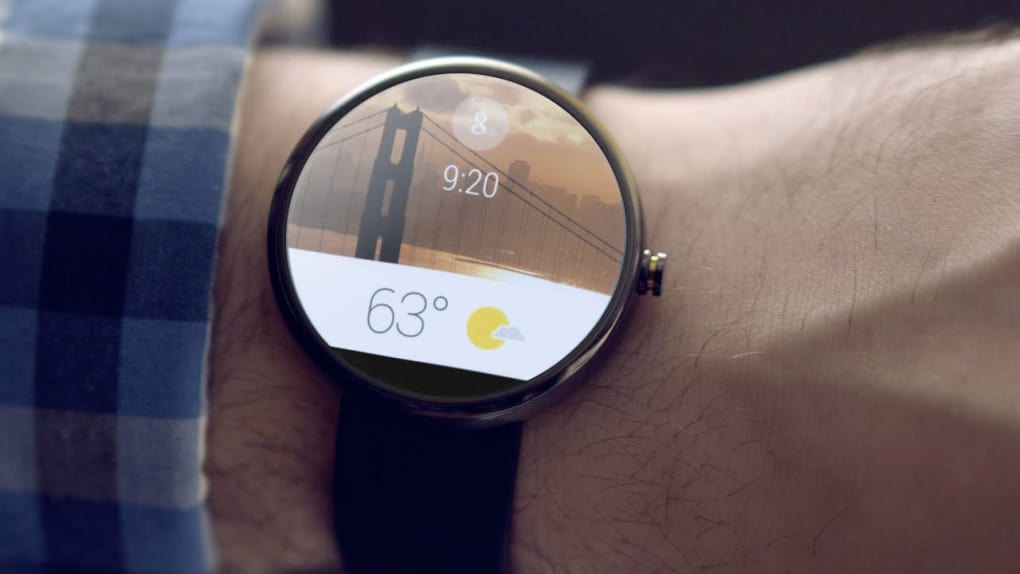
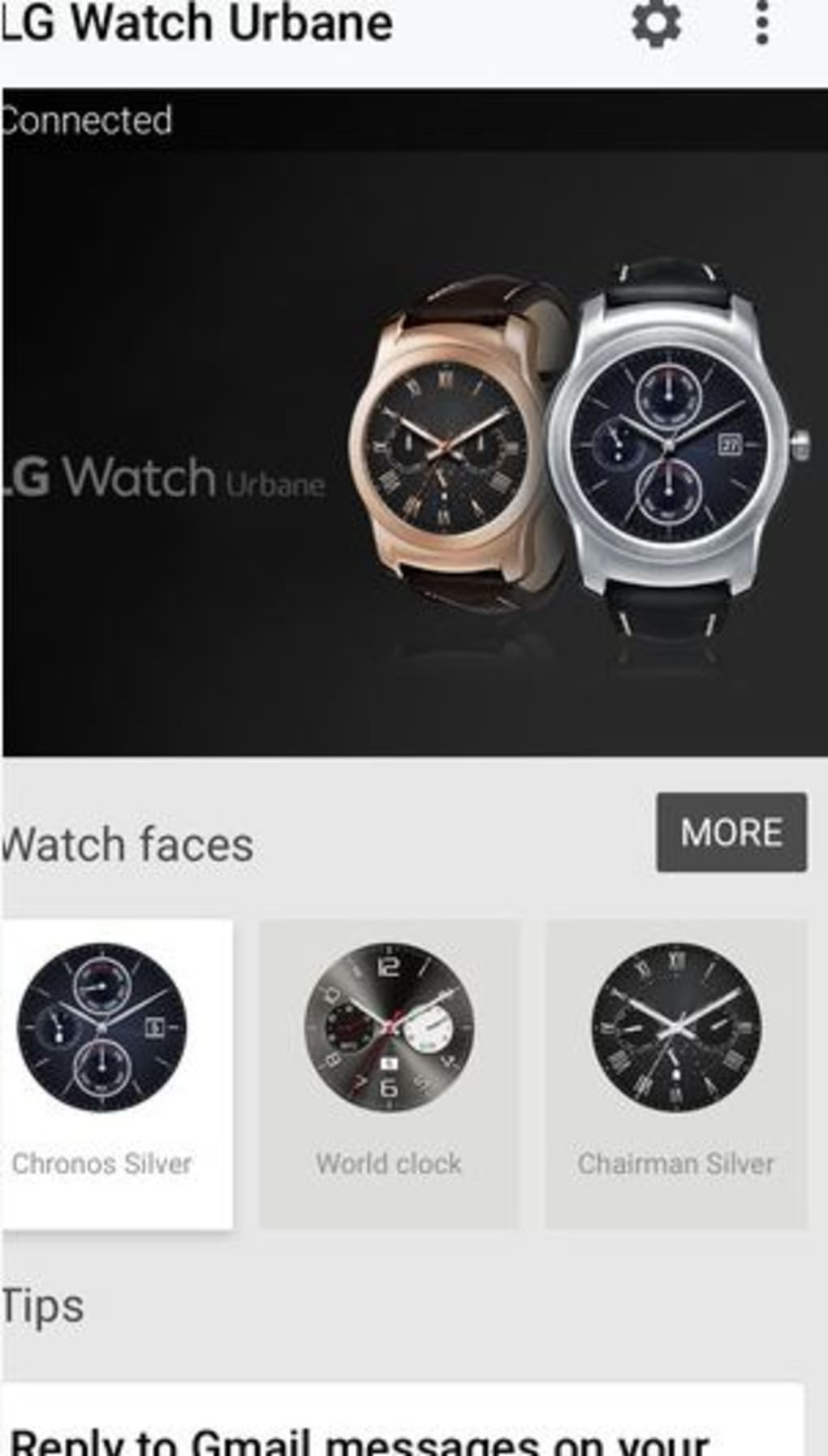
- Smartwatch Customization: Personalize your device with hundreds of watch faces and styles, ranging from minimalist to fitness-focused or playful, tailored to your preferences.
- Task Management: Add items to a grocery list, set reminders, and view upcoming calendar events without opening your phone.
- Contactless Payments: Use your smartwatch to make secure, on-the-go payments where supported, streamlining daily transactions.
Each feature is designed to improve user efficiency and engagement. For instance, a commuter can glance at their watch to see their next meeting and respond to a text using voice commands. A fitness enthusiast can track their daily steps and heart rate while controlling music during a workout. The app’s ability to adapt to individual routines makes it a valuable tool for both personal and professional use. Although the developer did not list specific technical requirements, the app’s broad compatibility with various watch models suggests a flexible architecture.
Interface, UX & Performance
The user interface of Wear OS by Google is clean, intuitive, and optimized for small-screen interaction. Navigation is straightforward, with a consistent layout that prioritizes accessibility and speed. Users can swipe through notifications, tap to open apps, and use voice commands to navigate settings. The visual style emphasizes clarity and minimalism, with customizable themes that align with personal taste and use case.
Interaction flow is smooth, allowing users to quickly access frequently used functions such as checking messages, controlling music, or viewing health stats. The app responds promptly to touch inputs and voice commands, maintaining a high level of responsiveness. While the developer did not list formal performance metrics, the app’s lightweight footprint of 45.4 MB suggests efficient resource usage. It is designed to operate seamlessly across a range of device categories, including entry-level and high-end smartphones.
Stability appears to be a focus, with regular updates ensuring compatibility with new watch models and OS versions. The app maintains consistent performance during prolonged use, with no reported issues related to crashes or lag. Although the developer did not specify minimum OS requirements or battery impact, the app’s low size and cross-platform availability indicate optimized design. Users can expect reliable performance in daily use, whether at work, during exercise, or while traveling.
Platform Compatibility & Technical Requirements
Wear OS by Google is available on both Android and iOS platforms, ensuring broad accessibility across major smartphone ecosystems. The current version is 3.23.2, released on April 1, 2024. The app has a file size of 45.4 MB, making it lightweight and suitable for devices with limited storage. This compact size supports quick installation and minimal impact on device performance.
Specific compatibility details such as minimum OS versions, supported watch models, or hardware requirements were not listed by the developer. As a result, users are advised to verify device compatibility through official sources. The app’s cross-platform nature suggests it is built with modular architecture to accommodate varying system environments. However, the availability of certain features—such as Google Assistant, contactless payments, and fitness tracking—may vary depending on the user’s region, watch model, and phone operating system.
Pros and Cons
Pros
- Seamless synchronization between smartwatch and smartphone
- Supports both Android and iOS devices
- Lightweight app size (45.4 MB)
- Rich customization options for watch faces and styles
- Integrated Google Assistant for hands-free assistance
- Comprehensive fitness and activity tracking
- Free to download and use
Cons
- Feature availability may vary by region and device model
- Google Assistant functionality limited in certain countries and languages
- Specific technical requirements not disclosed
- Dependent on compatible smartwatch hardware
- Some advanced features may require additional setup or subscriptions
FAQ
Is Wear OS by Google available for both Android and iOS?
Yes, the app is compatible with both Android and iOS devices, allowing users across different platforms to connect and manage their smartwatches.
Can I use Wear OS by Google without a Google account?
A Google account is required to set up and use the app, as it relies on Google’s ecosystem for syncing data, notifications, and services.
Does the app support all smartwatch brands?
No, the app only works with smartwatches that are compatible with Wear OS. Not all smartwatch brands or models are supported.
Is the app free to download and use?
Yes, Wear OS by Google is available at no cost. There are no in-app purchases or subscription fees associated with the core functionality.
How often does the app receive updates?
Updates are released regularly to improve performance, fix bugs, and add support for new devices and features. Users are encouraged to keep the app updated for optimal experience.
Final Thoughts
Wear OS by Google stands out as a powerful tool for anyone seeking to maximize the potential of their smartwatch. With its robust feature set, intuitive interface, and cross-platform support, it delivers real value across daily routines. Whether you're tracking fitness goals, managing tasks, or staying connected on the go, the app enhances usability and convenience. Its ability to integrate seamlessly with Google Assistant and offer customizable watch faces adds a personal touch to the user experience.
While some features depend on regional availability and hardware compatibility, the app remains a reliable choice for users who prioritize productivity, health monitoring, and smart device integration. The fact that it’s free and lightweight makes it accessible to a wide audience. For those invested in wearable technology, Wear OS by Google is not just a utility—it’s a gateway to a more connected lifestyle.
Download Wear OS by Google now







